3. Installation
3.1 Option A: AI-assisted manifest install (no OpenUPM required)
Use this option if you want Codex, Claude, Copilot, or another coding agent to install the SDK for you and
update Packages/manifest.json directly. This path adds all required packages from Git URLs, so it does
not require the OpenUPM scoped registry setup. Paste the following prompt:
Install the Snippets SDK by updating Packages/manifest.json.
Use this exact SDK package dependency:
- "com.snippets.sdk": "<insert link to the git URL found at https://app.snippets3d.com/integrations>"
Also add these dependencies if missing:
- "com.cysharp.unitask":
"https://github.com/Cysharp/UniTask.git?path=/src/UniTask/Assets/Plugins/UniTask"
- "org.khronos.unitygltf": "https://github.com/KhronosGroup/UnityGLTF.git"
Keep all existing dependencies unchanged.
3.2 Option B: Unity Package Manager install
3.2.1 Configure OpenUPM scoped registry
Required scopes:
- com.cysharp.unitask
-
org.khronos.unitygltf
-
Edit > Project Settings > Package Manager
- Add Scoped Registry: Name: OpenUPM URL: https://package.openupm.com Scopes: com.cysharp.unitask, org.khronos.unitygltf
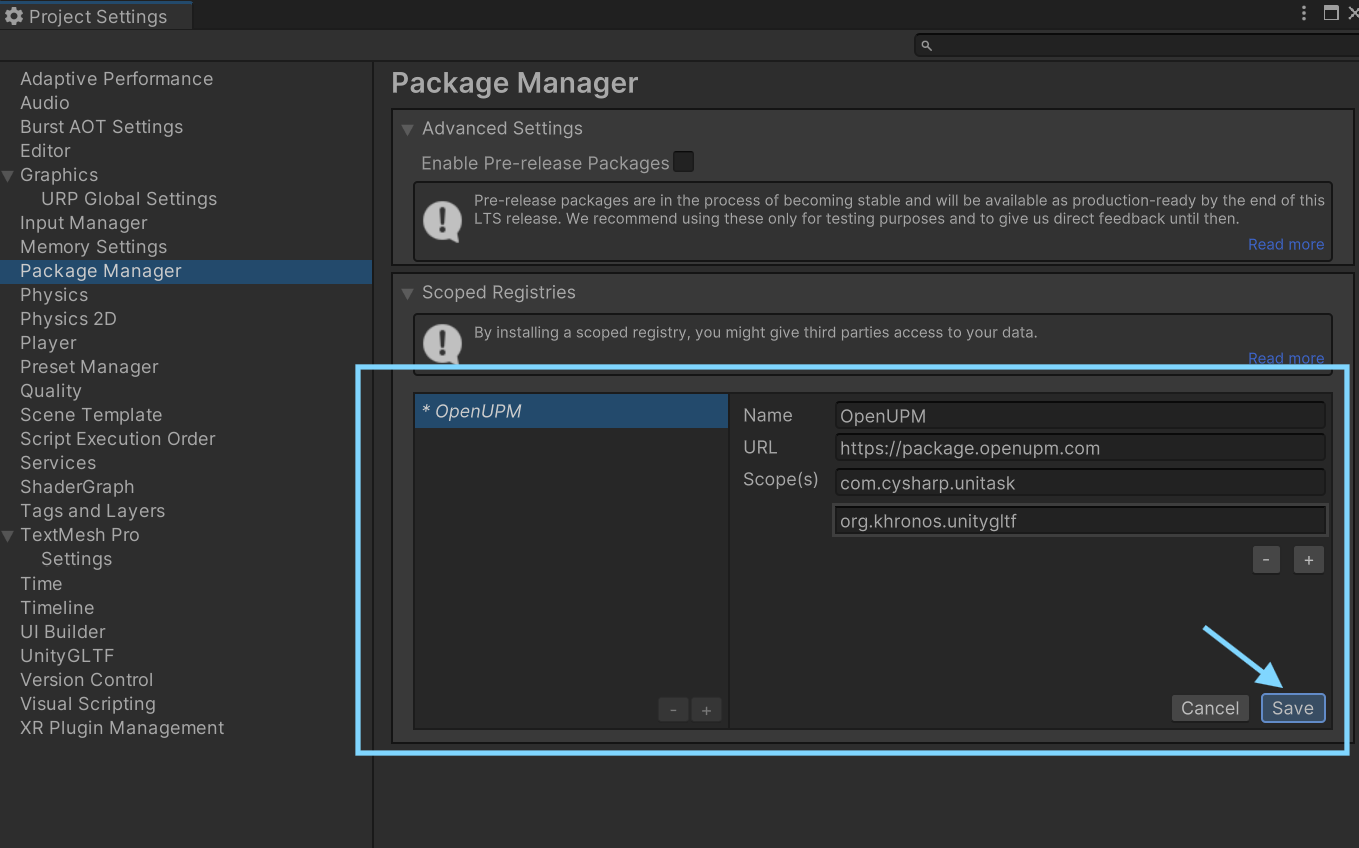
Manual manifest.json example:
{
  "scopedRegistries": [
    {
      "name": "OpenUPM",
      "url": "https://package.openupm.com",
      "scopes": [
        "com.cysharp.unitask",
        "org.khronos.unitygltf"
      ]
    }
  ]
}
3.2.2 Install Snippets SDK package
Recommended: install from Git URL to get updates and keep team environments consistent.
Git URL method:
- Window > Package Manager
-
- button
- Add package from git URL (find the URL at the integrations page)
- Paste SDK Git URL
- Install
Disk method (ZIP fallback):
- Download and unzip SDK outside Assets
- Window > Package Manager
-
- button
- Add package from disk (download package at the integrations page)
- Select package.json
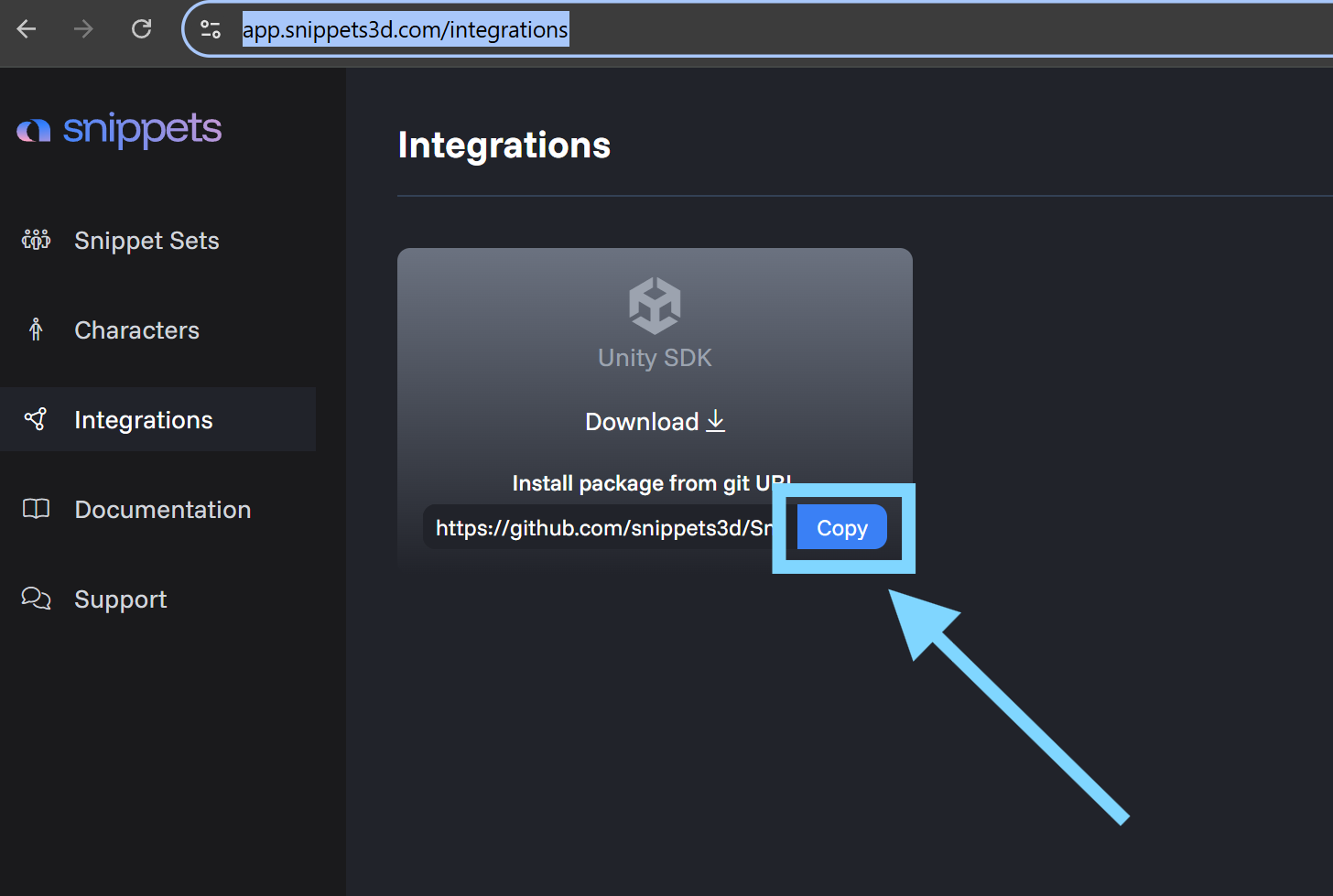
Copy git URL or download ZIP
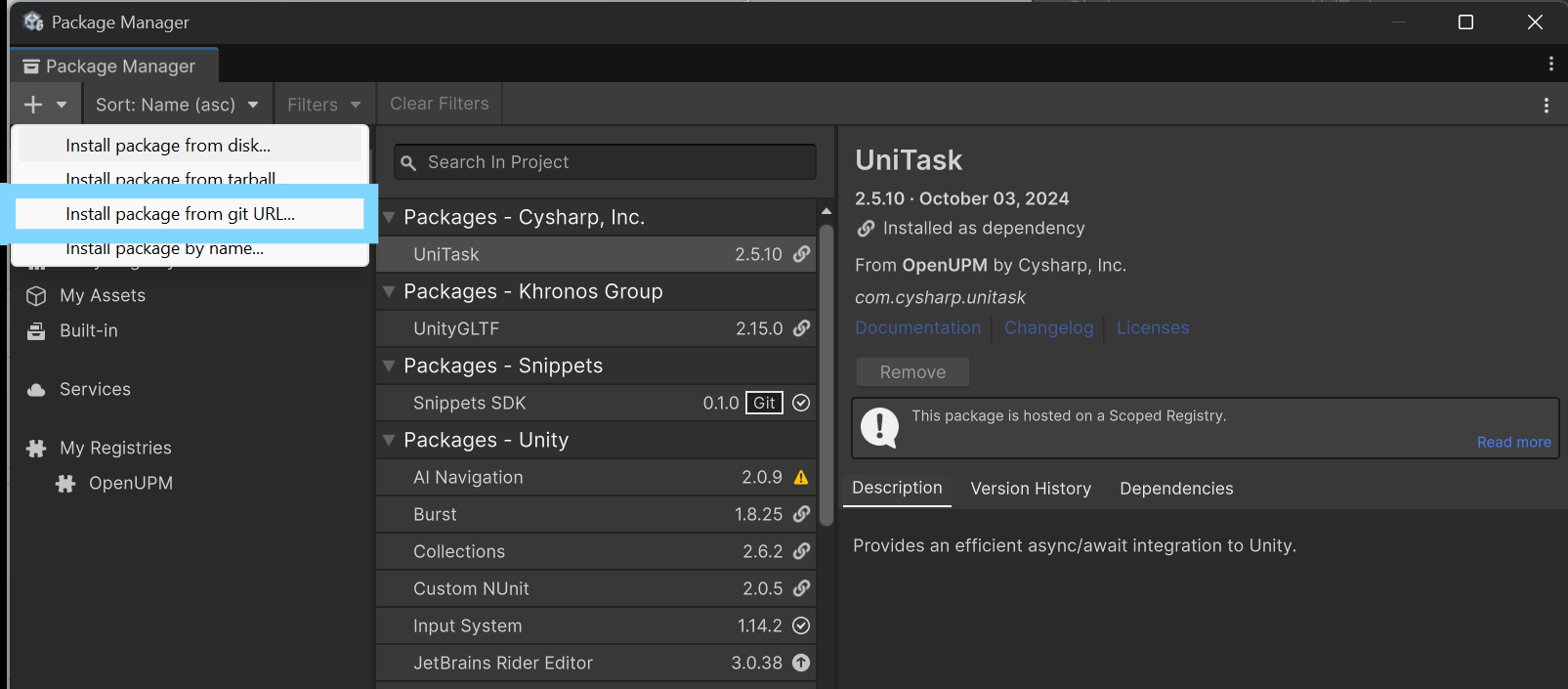
Install Snippets SDK via git URL using Unity Package Manager
3.3 Import TMP essentials (recommended)
For better text quality and consistency:
- Window > TextMeshPro > Import TMP Essential Resources
- Confirm import
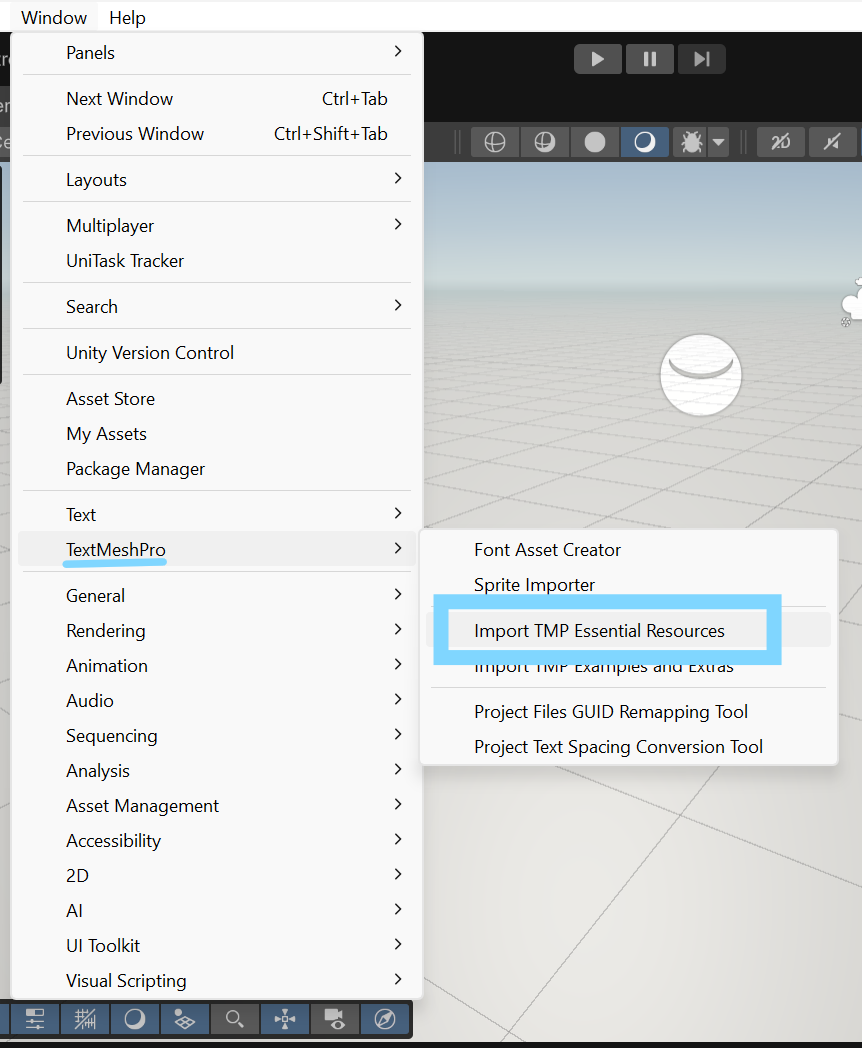
Importing TextMeshPro Essential Resources
3.4 Import sample scenes (optional)
- Open Package Manager and select Snippets SDK (after installing it)
- Open Samples tab
- Import Snippets Sample Scenes
- Open sample scenes and run Play Mode
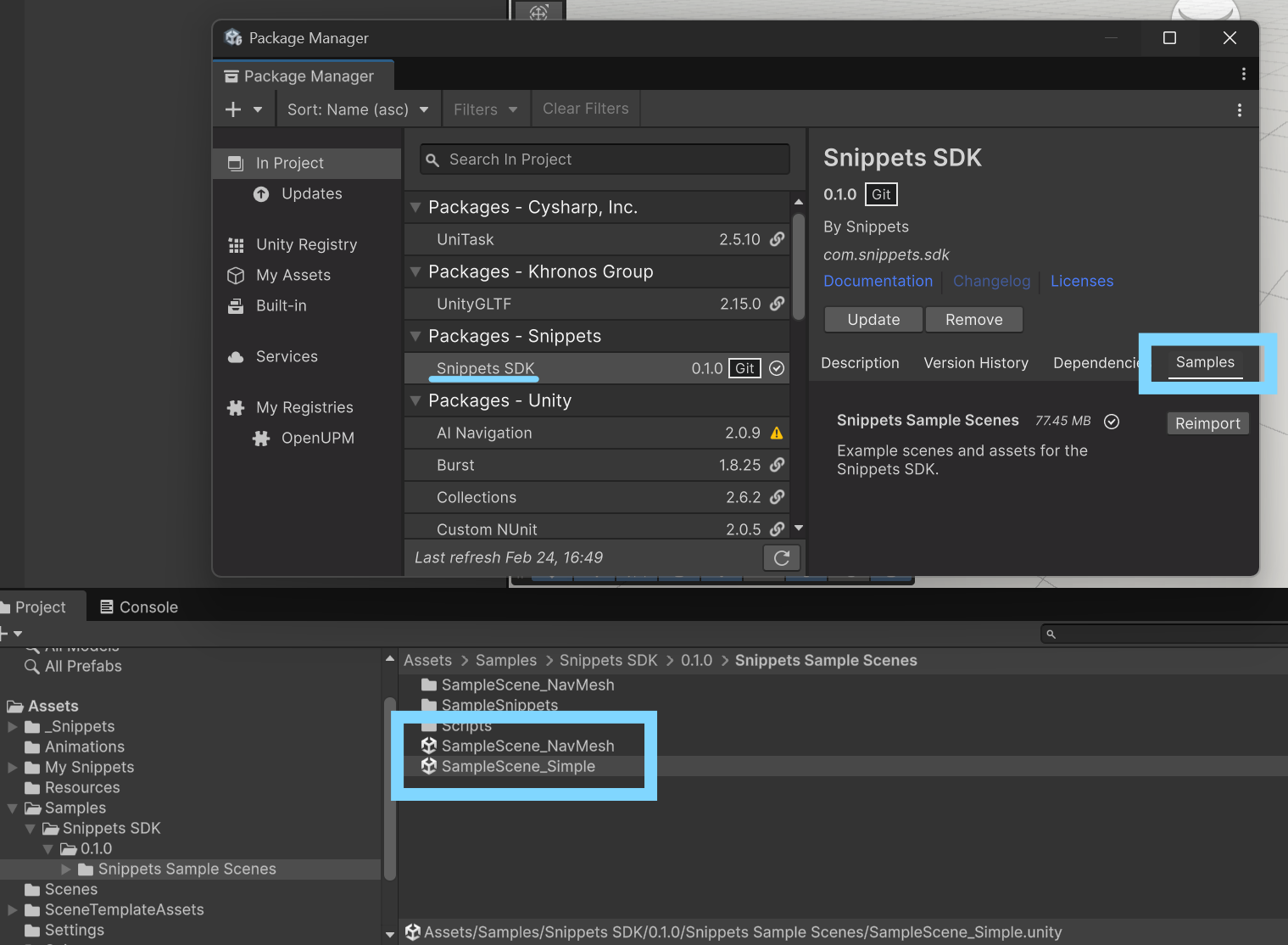
Importing Sample Scenes & path to the Scenes after import