6. Import, update, remove snippet sets
6.1 Import
- Click Import
- Select template prefab
- Confirm and wait for completion
Process:
- Download raw archive
- Decompress assets
- Generate prefabs from template
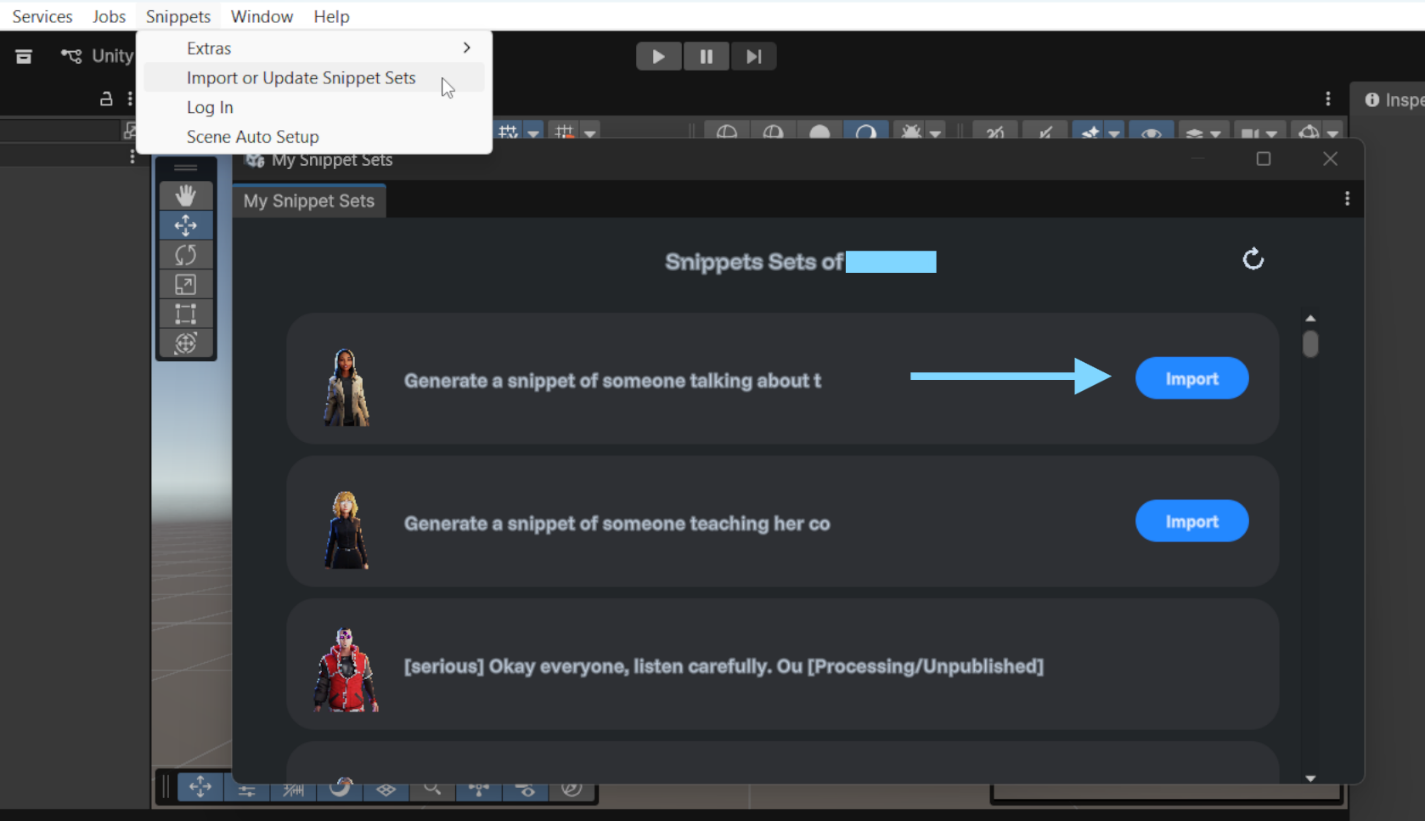
Import button from Snippet Sets Window
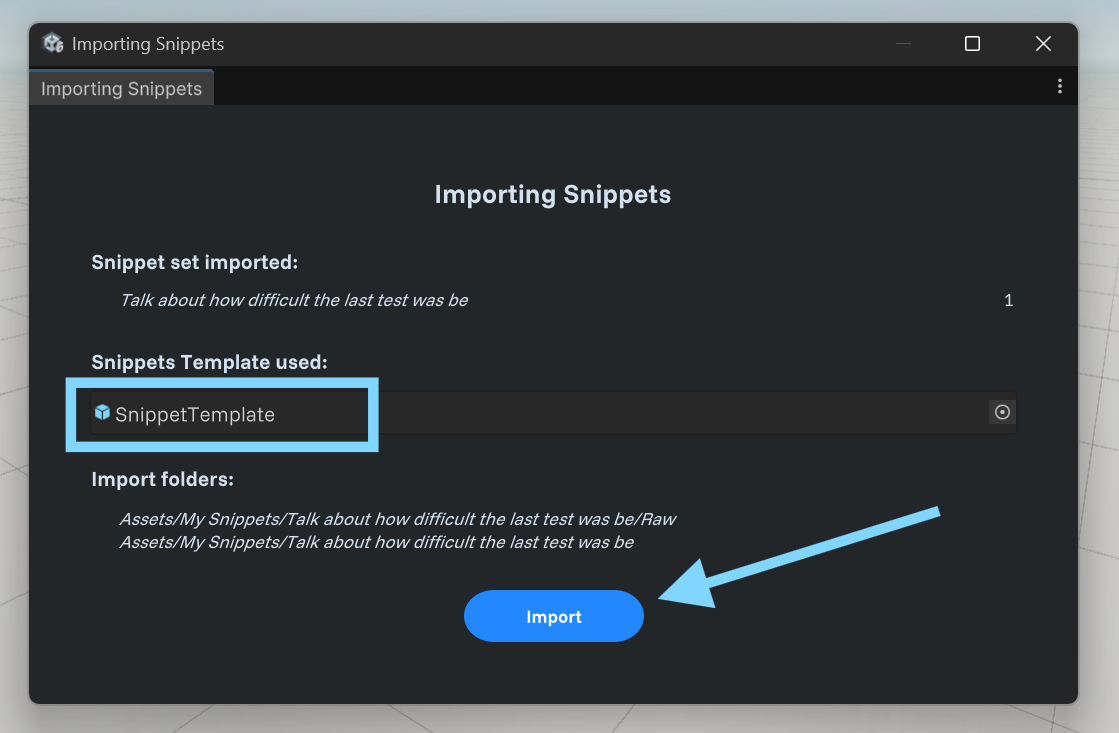
Importing Snippets Window
6.2 Update
- Click Update (available only after new changes are published on the web portal on the same set)
- Confirm operation Matching prefabs are updated in place, removed snippets are deleted, and new snippets are generated, helping preserve references.

Update button from Snippet Sets Window
6.3 Remove
- Click Remove
- Confirm Removes local generated and raw files for that set.

Remove button from Snippet Sets Window
← Previous: Snippets Project Folders
Next: Bringing Imported Snippets Into A Scene →