4. Initial setup in Unity
4.1 Web Portal preparation
Create/publish snippet sets in the web portal and ensure they are downloadable by pressing the “Publish” button. You must not leave the tab while the Snippet is publishing for the process to finalize successfully.
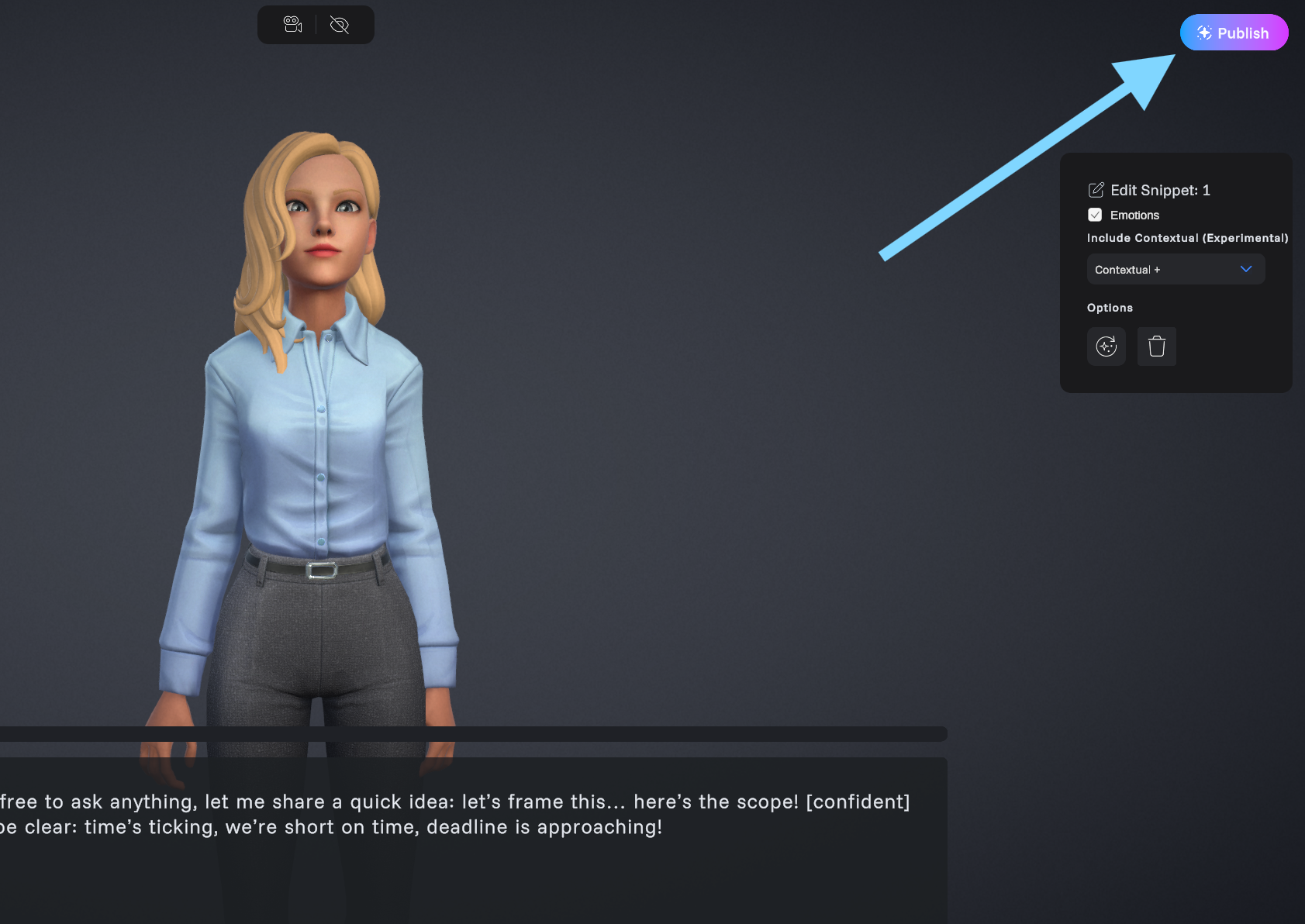
Press publish to make snippet set accessible to SDK
4.2 Log in
- Snippets > Log In
- Enter credentials (same as on the web portal)
- Confirm successful login
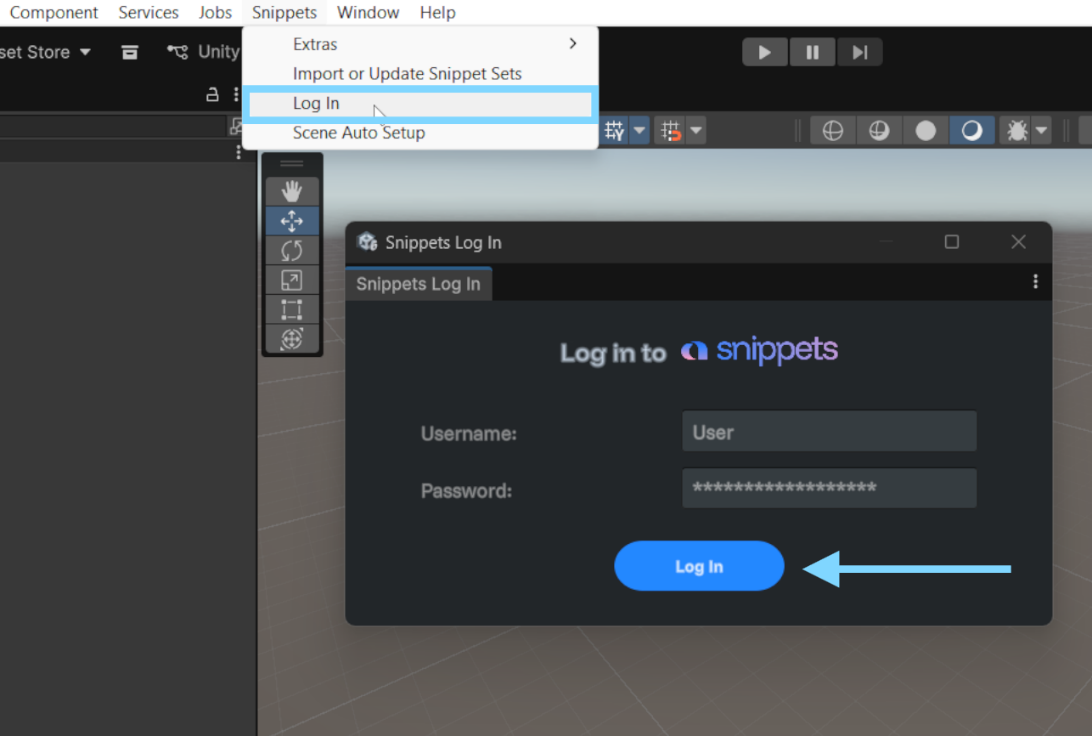
Log into the Snippets SDK
4.3 Open set management
- Snippets > Import or Update Snippet Sets
- Review set statuses and actions
Status labels:
- [Imported]
- [Local Deprecated]
- [Processing/Unpublished]
- [Update Processing]
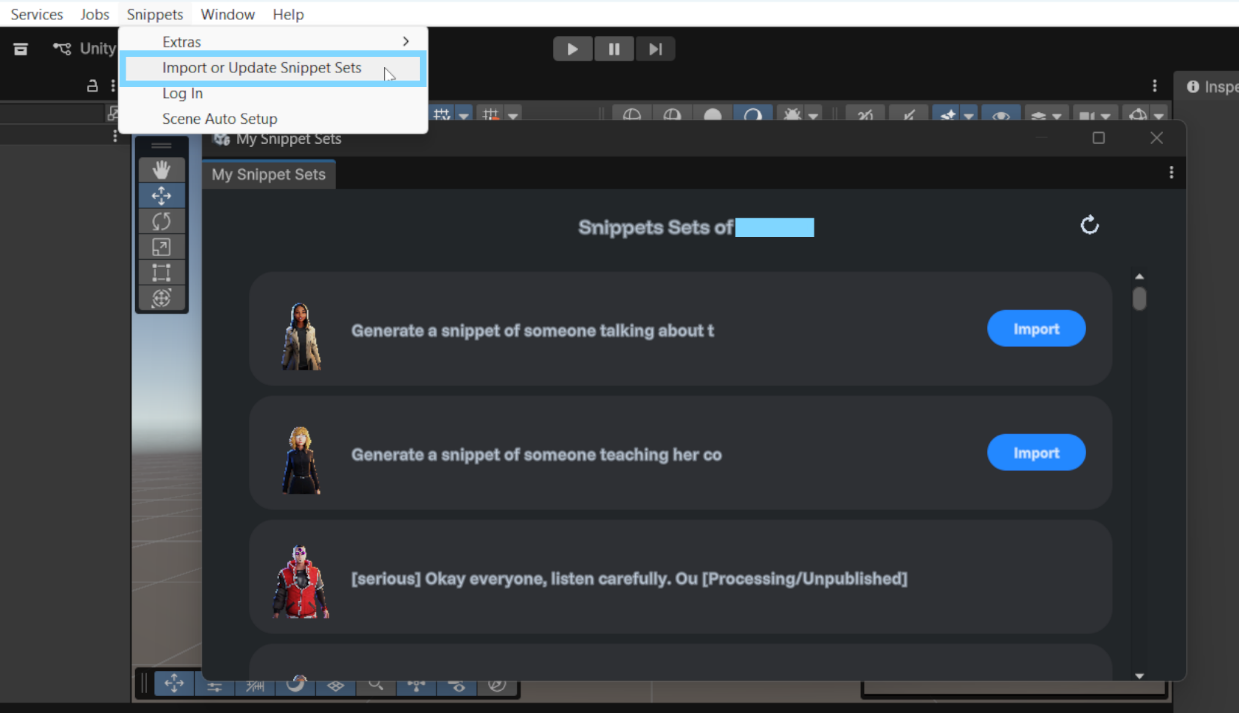
Snippet Sets Window - for importing, updating, removing or viewing your snippet sets